

Spell-checking
A typo in a comment or in a name is easy to miss and hard to fix later, when the misspelt name is used in many files. The IDE’s Typo inspection (a check it runs as you type and shows in the editor) underlines misspelt words in SystemVerilog files and offers the correction on Alt+Enter (⌥⏎ on macOS). It is on by default.
Try it
Section titled “Try it”The steps use the sample project; open it and wait for indexing first. They end with the file as it was.
-
Open
rtl/counter.sv, click on the empty line just abovestate_t state;and type// the recieved count.recievedgets a wavy underline: it is a typo. Other underlines elsewhere in the file are not part of this example (an abbreviation such asclkcan be unknown to the dictionary; see What is checked). Leave them; they do not affect the example. -
With the caret (the text cursor) on
recieved, press Option+Return (⌥⏎) on macOS or Alt+Enter on Windows/Linux. A popup lists corrections: choosereceived. The comment now reads// the received countand the underline is gone.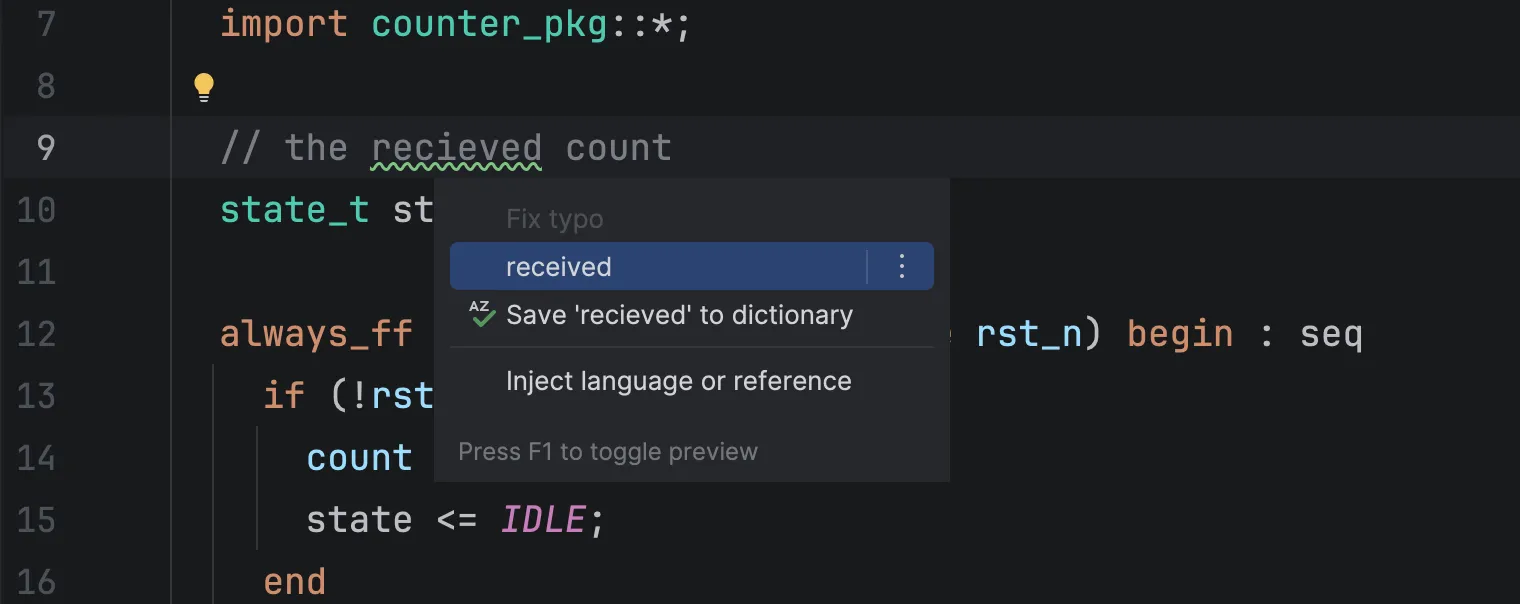
-
Press End, then Enter, and type
logic cuont_q;.cuontis underlined: a name is split into words at_and at case changes, and each word is checked. Put the caret oncuontand press ⌥⏎ / Alt+Enter. The popup offers Rename to … (a list of corrected names): choosing one would rename the declaration and every use. This example skips it. Press Escape to close the popup without choosing. -
Press ⌘Z (macOS) / Ctrl+Z (Windows/Linux) repeatedly until the two lines you typed are gone. Check the result: the first line after
import counter_pkg::*;is blank, then comesstate_t state;. If you lose track, close the file without saving the change and open it again.
If nothing is underlined, see If it doesn’t work.
What is checked
Section titled “What is checked”In SystemVerilog files:
- comments and string literals;
- every name a declaration introduces (modules, classes, signals, functions,
`definemacro names, …), split into words at_and at case changes (rx_fifo_lenght→lenght). A name is checked where it is declared, not at each use, so a misspelt name is reported once; an abbreviation the dictionary does not know (rx,fifo) may be reported too (see below for what to do).
Not checked:
- escape sequences (
\n,\t) and format specifiers (%0d) in strings; - keywords, system tasks, attributes (
(* mark_debug = "true" *)) and compiler directives (`timescale,`ifdef…); - the code of an inactive
`ifdefbranch (Conditional compilation).
If a word is correct but unknown to the dictionary (an abbreviation such as fifo), press Alt+Enter on it and choose
Save ‘word’ to dictionary. It is not reported again. To remove it later, open Settings | Editor | Natural Languages |
Spelling.
If it doesn’t work
Section titled “If it doesn’t work”| You see | Likely cause | What to do |
|---|---|---|
recieved is not underlined |
You typed in a different file than rtl/counter.sv, or the project is still indexing |
Check the file name in the editor tab; wait for the progress bar at the bottom right to finish |
| Nothing is underlined anywhere | The Typo inspection is turned off | Turn it on under Settings (⌘, on macOS, Ctrl+Alt+S on Windows/Linux) | Editor | Inspections | Proofreading | Typo |
| A word you expect is not underlined | It is a keyword or a directive, or is in an inactive `ifdef branch |
See What is checked |
| The popup shows no correction | The word has no close match in the dictionary | Save it to the dictionary if it is correct |
| The popup has no Rename to … | The caret is not on the misspelt word in the declaration (names are checked only where they are declared) | Put the caret on cuont in logic cuont_q; |
| A correct abbreviation is underlined | It is not in the dictionary | Save it to a dictionary from the Alt+Enter popup |