Find Usages
Put the caret on a declaration (or on any usage of it) and choose Edit | Find Usages | Find Usages (⌥F7 on macOS, Alt+F7 on Windows/Linux; Shift+Alt+7 in the GNOME and KDE keymaps). The Find tool window lists every usage, grouped by file.
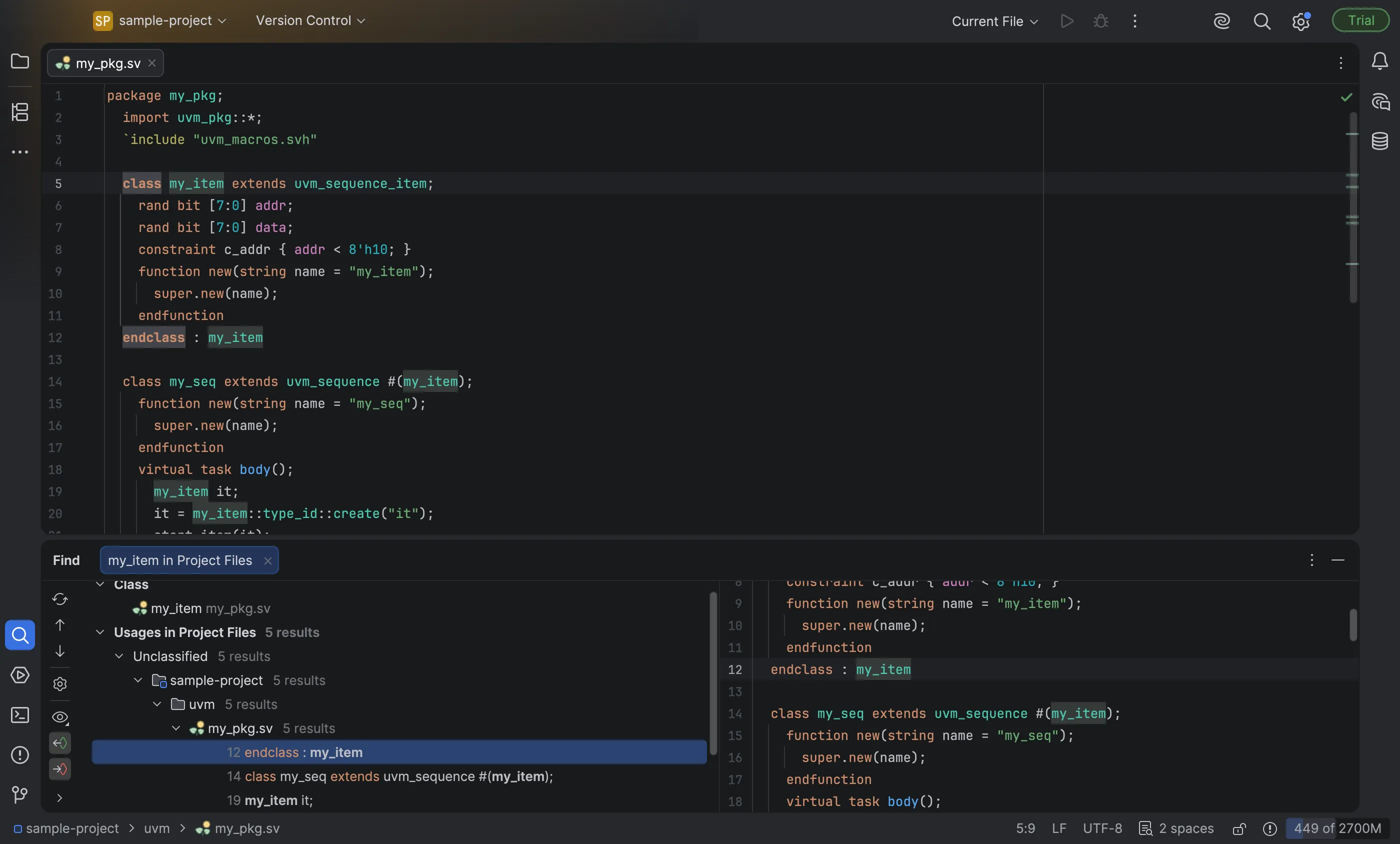
Find Usages works for every kind of declaration: modules, interfaces, programs, packages, classes (including interface classes), functions, tasks, modports, clocking blocks, ports, parameters, type parameters, variables, nets, typedefs, enum members, struct fields, genvars, instances and named blocks. The full list is in Supported constructs.
Usages include everything Go to Declaration understands — for example end
labels (endclass : my_item), named port and parameter connections, pkg:: and Class:: references,
#(my_item) type arguments, member access chains and hierarchical references into generate blocks. Text in
comments and string literals is not a usage: "my_item" in function new(string name = "my_item") is not
listed.
Only real references are found: a signal count in another module, or a class of the same name in another
package, is not listed.
Try it
Section titled “Try it”- Open
rtl/counter.svfrom the sample project, put the caret oncounterinmodule counterand press ⌥F7 (Alt+F7). Two usages are listed: the instantiation inrtl/top.svand the end labelendmodule : counter. - Open
uvm/my_pkg.sv, put the caret onmy_iteminclass my_item extends uvm_sequence_item;and press ⌥F7. Five usages are listed:uvm_sequence #(my_item),my_item it;,my_item::type_id::create,uvm_driver #(my_item)andendclass : my_item. The string"my_item"is not among them.